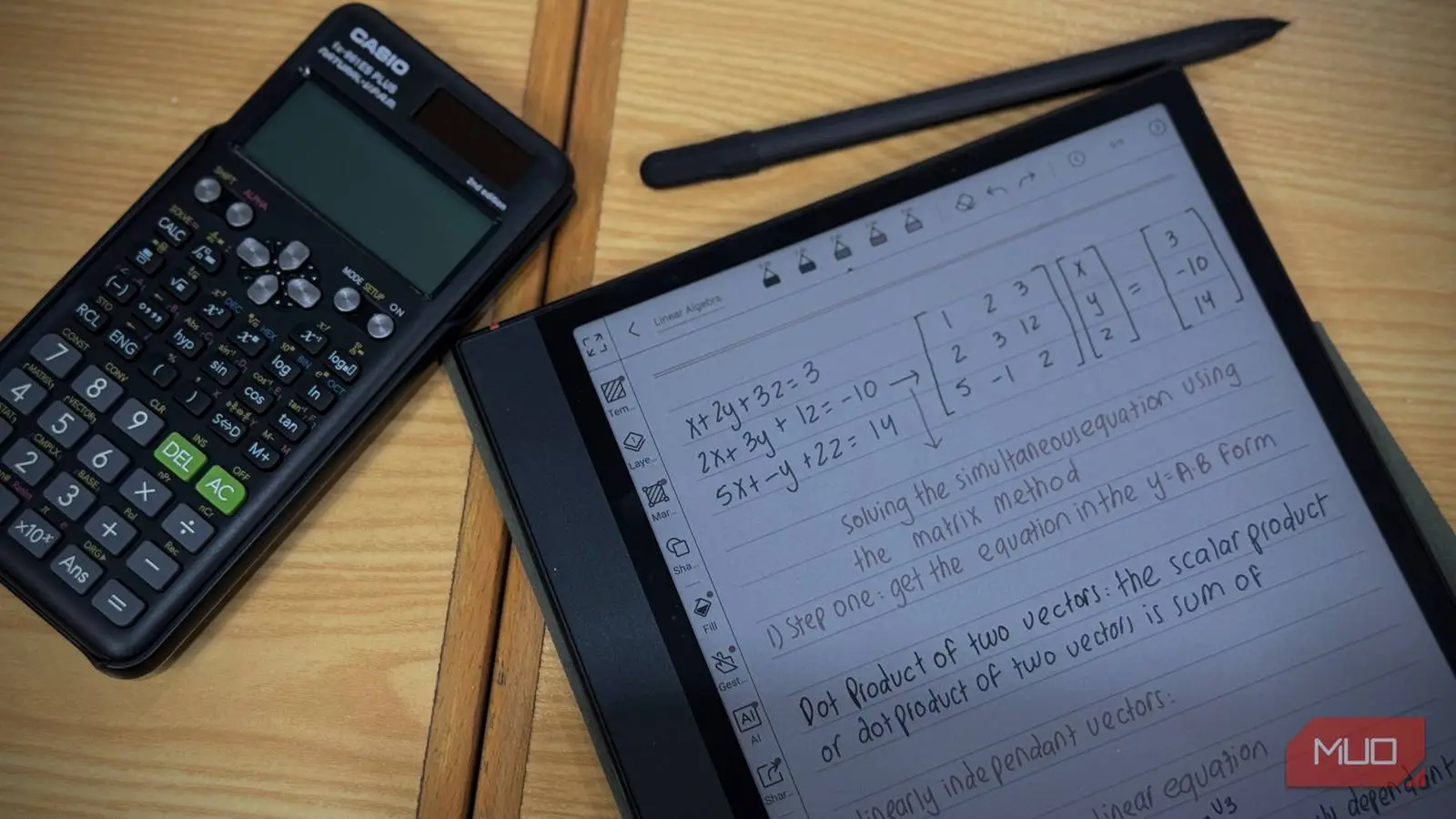


Like many people, I’ve transitioned away from carrying around hefty textbooks and notebooks. The digital revolution has offered incredible convenience, but finding the right tool for my learning style proved to be a journey. While initially exploring options like Apple Notes, I realized that typed notes simply weren’t working as well as handwritten ones. This led me to explore dedicated reading devices—specifically, how they could also serve as versatile note-taking tools. Let’s delve into why an ereader, especially the Kindle Scribe, has become my go-to device for both reading and writing.
The Appeal of Handwritten Digital Notes
As a visual learner, I rely heavily on diagrams, sketches, and freehand writing to process information effectively. The iPad with an Apple Pencil initially seemed like the perfect solution – and it was, for a time. However, carrying another device felt increasingly cumbersome. Fortunately, my Kindle Scribe presented a surprisingly elegant alternative, largely thanks to its stylus compatibility. It’s proving to be a fantastic tool.
Why Choose the Kindle Scribe?
Amazon doesn’t market the Kindle Scribe as a dedicated note-taking device like an iPad or Samsung Galaxy Tab; rather, its primary function remains e-reading, and it excels in that area. However, the 10.2-inch Paperwhite display coupled with the included Premium Pen (or compatible third-party alternatives) transforms it into something far more versatile. A crucial element is the textured glass screen surface, which provides a remarkably satisfying tactile feel when writing—effectively mimicking the sensation of pen on paper. Consequently, many readers are finding it to be an exceptional ereader.
Setting Up Your E-reader for Note-Taking
Getting started with note-taking on the Kindle Scribe is quite straightforward. The device comes preloaded with basic note-taking templates, ranging from lined and graph paper to blank canvases. Furthermore, you can import your own PDFs or EPUBs and annotate them directly—a significant advantage for students and researchers who frequently need to mark up textbooks.
Here’s a quick rundown of essential settings:
- Pen Thickness: Experiment with different pen thicknesses to determine what feels most comfortable during your writing sessions.
- Undo/Redo Shortcuts: Mastering these shortcuts will allow for effortless corrections and revisions.
- Templates: Explore the available templates and customize them to align perfectly with your specific needs.
Beyond the basics, you can sync your notes with the Kindle app on other devices via Amazon’s cloud service, providing access across various platforms for ultimate convenience.
Comparing Note-Taking Experiences: Kindle Scribe vs. iPad
While iPads offer a broader range of note-taking apps and advanced features, such as sophisticated organization tools, the Kindle Scribe’s simplicity is its greatest asset. The absence of distracting notifications and app clutter cultivates an environment conducive to enhanced focus during study or brainstorming sessions. Moreover, it’s noticeably lighter and more portable than an iPad, making it ideal for travel or taking quick notes on the go. Therefore, many find that this ereader offers a much better experience.

Limitations to Consider
It’s important to acknowledge that the Kindle Scribe isn’t without its drawbacks. The note-taking capabilities are comparatively basic when contrasted with dedicated tablet applications. Notably, there is no built-in handwriting recognition or optical character recognition (OCR) functionality, so converting handwritten notes into text requires manual transcription. In addition, the Premium Pen represents an additional expense.
The Verdict: A Valuable Combination for Readers and Writers
For individuals seeking a distraction-free note-taking experience who already own a Kindle ereader, adding a stylus can unlock a new level of functionality. It’s not meant to replace a full-fledged tablet, but it provides a compelling alternative for lighter note-taking tasks, brainstorming sessions, and annotating documents. The seamless integration of reading and writing into one device significantly reduces clutter and enhances portability. Ultimately, the Kindle Scribe has become an indispensable tool in my daily routine.
In conclusion, the ereader offers a unique blend of convenience and functionality that makes it a worthwhile investment for avid readers and note-takers alike.
Source: Read the original article here.
Discover more tech insights on ByteTrending.
Discover more from ByteTrending
Subscribe to get the latest posts sent to your email.