

Let’s be honest, building machine learning models can feel less like groundbreaking innovation and more like endless cycles of data cleaning, feature engineering, and hyperparameter tuning. The reality is, a significant portion of your time often gets swallowed by repetitive tasks – the kind that drain creativity and slow down progress. Many intermediate practitioners find themselves bogged down in these workflows, wishing for shortcuts to accelerate their development process. We’ve all been there, staring at lines of code we’ve written countless times before. Thankfully, there’s a powerful way to reclaim your time and focus on what truly matters: automation. This article dives into practical solutions, showcasing five essential ML Python Scripts designed to significantly streamline common machine learning workflows. These scripts will help you automate data exploration, model evaluation, and even deployment preparation. We’re confident that these tools will become indispensable additions to your toolkit.
Forget manually running the same checks on every dataset or painstakingly documenting each experiment; we’ve compiled a collection of reusable code snippets to tackle those tedious chores head-on. These aren’t theoretical exercises – they are ready-to-use examples you can adapt and integrate into your existing projects immediately. We specifically targeted solutions that would benefit intermediate practitioners already comfortable with Python, but seeking practical ways to boost their efficiency. Get ready to level up your ML workflow with these time-saving ML Python Scripts!
Automating Data Exploration
Data exploration is often the unsung hero of any machine learning project. Before you even think about model selection or hyperparameter tuning, you need to *really* understand your data – its distributions, relationships between features, and potential pitfalls like missing values or outliers. This initial phase can easily consume a significant chunk of your time, potentially slowing down your entire workflow. Imagine spending hours manually generating histograms, calculating correlations, and wrestling with missing data just to get a basic feel for the dataset! That’s where automating this process becomes invaluable.
Efficient data exploration isn’t about skipping it entirely; it’s about making it *faster* and more insightful. A well-crafted automated EDA (Exploratory Data Analysis) script can drastically reduce the time you spend on these crucial initial steps, freeing you up to focus on the more complex aspects of model building. Think of it as a powerful assistant that quickly generates key visualizations and summaries, allowing you to identify patterns and potential issues much faster than manual methods.
Our AutoEDA script is designed precisely for this purpose. It automatically handles common data exploration tasks: detecting and summarizing missing values (suggesting imputation strategies if needed), generating informative histograms for numerical features, creating scatter plots to visualize relationships between variables, and calculating essential descriptive statistics like mean, median, standard deviation, and percentiles. This rapid overview enables you to quickly grasp the dataset’s characteristics and formulate initial hypotheses – all without writing a single line of custom code for each task.
Ultimately, automating data exploration with scripts like our AutoEDA solution isn’t about replacing your analytical skills; it’s about amplifying them. By removing the repetitive burden of manual EDA, you can spend more time interpreting results, refining features, and ultimately building better machine learning models – leading to a significant boost in productivity and project success.
The AutoEDA Script: Unveiling Insights Quickly
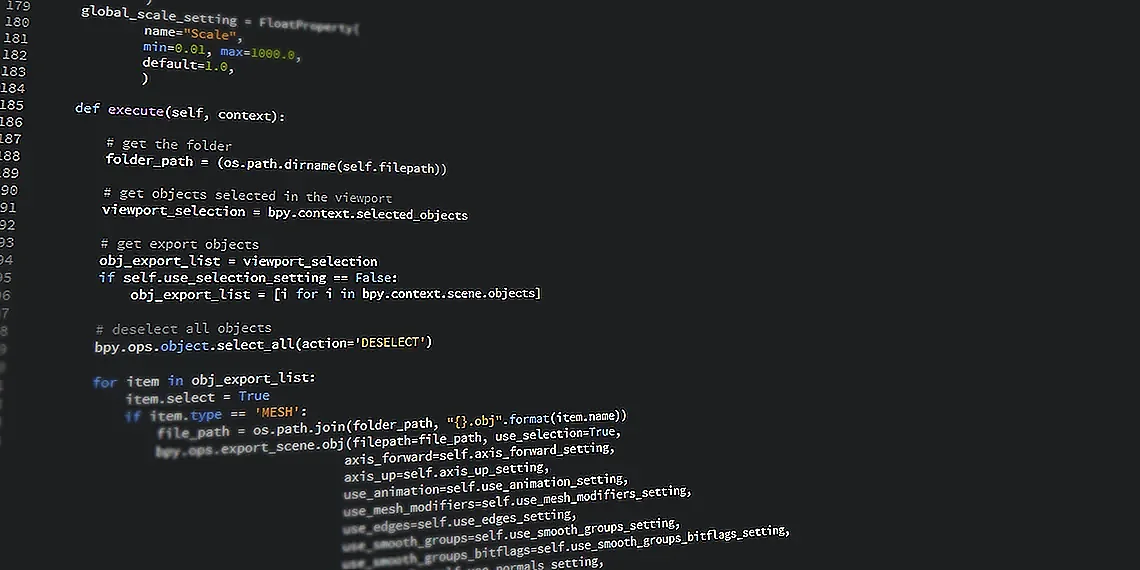
Automated Exploratory Data Analysis (AutoEDA) scripts are invaluable tools for machine learning practitioners seeking to accelerate their understanding of datasets. These scripts, typically written in Python, automate many of the tedious tasks involved in traditional EDA, allowing you to quickly identify patterns, potential issues, and relationships within your data before diving into model building. The primary goal is rapid insight generation – getting a feel for the dataset without manually performing every calculation or creating every visualization.
A typical AutoEDA script handles several key aspects of data exploration automatically. For missing values, it might offer options to impute using mean, median, or mode, or simply flag rows/columns with excessive missingness. Visualization is another crucial component; a well-designed script will generate histograms for numerical features (to understand distributions), scatter plots for pairwise relationships between variables, and potentially box plots or violin plots to identify outliers. Descriptive statistics like mean, standard deviation, min, max, quantiles are also calculated and presented in a concise format.
The time savings offered by an AutoEDA script are significant. What could take hours of manual effort can be accomplished with a few lines of code and a function call. This frees up your valuable time to focus on more complex tasks like feature engineering, model selection, and hyperparameter optimization – ultimately leading to faster iteration cycles and improved machine learning outcomes.
Streamlining Model Training
Training machine learning models isn’t just about picking an algorithm; it’s often a process of iterative refinement. You likely spend significant time tweaking hyperparameters, experimenting with different datasets, and meticulously tracking the results of each training run. This can quickly become a cumbersome and error-prone endeavor, especially when dealing with complex projects or multiple team members. The challenge lies in effectively managing these experiments to ensure reproducibility, facilitate comparison, and ultimately arrive at an optimal model configuration – all while minimizing manual overhead.
To tackle this common hurdle, we’ve developed a Python script designed for automated hyperparameter tuning and experiment tracking. This tool streamlines the entire process by automating the iterative search for the best hyperparameters using techniques like GridSearchCV or RandomSearchCV from scikit-learn. Forget manually adjusting parameters and documenting each run; our script handles it all.
The real power lies in its ability to automatically log key metrics (accuracy, loss, precision, recall, etc.) during training. These logs are saved alongside model checkpoints at regular intervals, allowing you to easily revert to previous states or compare performance across different hyperparameter combinations. This feature is critical for reproducibility and ensures that you can reliably recreate your best-performing models.
By automating both the tuning process *and* the tracking of results, this script frees up valuable time and mental energy, enabling you to focus on higher-level tasks like data exploration, feature engineering, and model architecture design. It’s a crucial addition to any serious ML practitioner’s toolkit, paving the way for more efficient and impactful model development.
Hyperparameter Tuning with Automated Experiment Tracking

Hyperparameter optimization is often a tedious, iterative process. Manually testing different parameter combinations with GridSearchCV or RandomSearchCV can quickly lead to a combinatorial explosion, making it difficult to track results and ensure reproducibility. Our dedicated Python script automates this entire workflow. It takes your model, hyperparameter grid (or distribution for RandomizedSearchCV), and training data as input, then systematically explores the specified parameter space.
The script’s real power lies in its automated experiment tracking capabilities. Each run – each combination of hyperparameters tested – is logged with key metrics like accuracy, loss, precision, recall, and F1-score. It automatically saves model checkpoints at regular intervals or when improvements are detected, preventing data loss and allowing you to revert to earlier states if needed. This logging functionality typically integrates with tools like TensorBoard or Weights & Biases for visualization.
By centralizing experiment management, this script significantly improves reproducibility and facilitates comparison between different hyperparameter configurations. You can easily analyze which settings yielded the best performance, understand the trade-offs involved, and confidently deploy a model knowing you’ve rigorously explored the parameter space. The organized output simplifies debugging and collaboration within teams.
Simplifying Feature Engineering
Feature engineering is often the unsung hero – or sometimes the dreaded burden – of any machine learning project. While building models and tweaking parameters can be intellectually stimulating, a significant portion of a data scientist’s time is frequently spent on transforming raw data into something algorithms can actually learn from. This process, involving tasks like scaling numerical features, encoding categorical variables, and creating new interaction terms, is absolutely critical for model performance but can easily become repetitive and error-prone when done manually.
The good news? You don’t have to spend hours wrestling with individual transformations! We’ve developed a Python script designed to automate many of the most common feature engineering tasks. This script streamlines your workflow by handling operations like StandardScaler (for standardizing numerical features), MinMaxScaler (to scale between 0 and 1), OneHotEncoding (converting categorical data into numerical representations), and LabelEncoding (assigning integer labels to categories). By automating these steps, you reduce the potential for human error and free up valuable time to focus on higher-level model design and analysis.
The script is structured to be highly configurable – you simply define your features, specify which transformations to apply to each, and it handles the rest. This approach not only accelerates feature engineering but also promotes consistency across different datasets and projects. Properly scaling numerical data, for example, can prevent features with larger ranges from dominating distance-based algorithms like K-Nearest Neighbors or Support Vector Machines. Similarly, accurate encoding of categorical variables is essential for preventing biased models and ensuring that the algorithm understands the relationships between categories.
Ultimately, automating feature engineering isn’t about skipping this crucial step; it’s about making it more efficient, reliable, and repeatable. The provided Python script allows you to build a stronger foundation for your machine learning models while minimizing tedious manual work. It’s a practical tool that will significantly level up your ML workflow.
Automated Feature Scaling & Encoding
Feature scaling and encoding are essential preprocessing steps in many machine learning pipelines. Without them, algorithms like gradient descent can struggle to converge efficiently, and models may exhibit biases due to differing feature ranges or categorical variable representations. Manually applying techniques like StandardScaler, MinMaxScaler, OneHotEncoding, and LabelEncoding can be tedious and error-prone, especially when dealing with large datasets or complex projects. This script automates these transformations, streamlining the data preparation process and freeing up your time for more strategic tasks.
The provided Python script encapsulates common scaling and encoding methods into a modular structure. You simply pass in your pandas DataFrame and specify which transformations you want to apply – whether it’s standardizing numerical features, normalizing them between 0 and 1, converting categorical variables using one-hot encoding, or mapping labels for classification tasks. The script handles the creation of necessary transformers and applies them consistently, generating transformed data while preserving the original data structure for future reference. This consistent application prevents common pitfalls like accidentally applying scaling to only a subset of your training data.
By automating these feature engineering steps, you improve both efficiency and reproducibility in your ML workflow. The script’s modular design makes it easy to adapt to different datasets and modeling requirements. Furthermore, the clear separation of preprocessing logic enhances code maintainability and reduces the likelihood of introducing errors during future updates or experiments.
Boosting Model Deployment Efficiency
The journey of a machine learning project often culminates in deployment – a phase that frequently receives less attention than the initial modeling work, despite being absolutely crucial for realizing tangible business value. While crafting the perfect model architecture is rewarding, ensuring its reliable and repeatable delivery to end-users is equally vital. Bottlenecks during deployment can lead to delays, increased costs, and ultimately, frustration. This section focuses on streamlining that often-overlooked process with a Python script designed specifically to boost model deployment efficiency.
Our ‘ModelPack’ script automates many of the tedious tasks associated with deploying machine learning models. It handles everything from creating Docker images – ensuring consistent environments across different platforms – to generating API endpoints using popular frameworks like Flask or FastAPI, allowing for easy integration into existing systems. The script also incorporates robust versioning capabilities; each model deployment is tagged and tracked, making rollbacks and A/B testing significantly simpler.
Imagine needing to quickly revert to a previous model version due to unexpected performance degradation in production. With ‘ModelPack’, this becomes a straightforward operation – simply select the desired version tag and redeploy. This level of control minimizes downtime and allows for faster iteration cycles. Furthermore, automating these processes reduces the risk of human error inherent in manual deployment pipelines, leading to more reliable and predictable outcomes.
Ultimately, ‘ModelPack’ isn’t just about creating a deployable artifact; it’s about establishing a repeatable *process* that empowers your team to move faster and with greater confidence. By automating packaging, versioning, and API generation, this script frees up valuable time for machine learning engineers to focus on what they do best: building innovative and impactful models.
Packaging & Versioning Models for Easy Deployment
A significant bottleneck in machine learning projects isn’t always training the models themselves, but rather deploying them reliably and repeatedly. Manually creating Docker images, setting up API endpoints with frameworks like Flask or FastAPI, and tracking different model versions can be time-consuming and error-prone. Our ‘ModelPackager’ script automates these tasks, streamlining the deployment process for machine learning engineers.
The core functionality of ModelPackager revolves around declarative configuration files. You specify your model’s dependencies (Python packages, data files), desired API framework (FastAPI or Flask), Docker image build parameters, and versioning strategy – all within a YAML file. The script then handles the creation of a Dockerfile tailored to your needs, generates the necessary API code, builds the Docker image, and registers the model version in a centralized repository like MLflow or a custom solution.
By automating this process, ModelPackager ensures consistent deployments across different environments (development, staging, production). It facilitates easy rollbacks to previous versions if issues arise, promotes collaboration among team members by standardizing deployment procedures, and frees up valuable time for engineers to focus on higher-level tasks like model refinement and feature engineering. This ultimately leads to faster iteration cycles and more reliable machine learning applications.

We’ve covered a lot of ground, showcasing five powerful Python scripts designed to significantly streamline your machine learning endeavors. From automated data cleaning and feature engineering to efficient model evaluation and deployment assistance, these tools offer tangible improvements in productivity and accuracy for practitioners of all levels. Integrating them into your existing workflow can free up valuable time, allowing you to focus on higher-level strategic thinking and innovative problem solving within the realm of AI. Mastering these techniques is increasingly vital as machine learning becomes more complex and data volumes continue to explode; utilizing well-crafted ML Python Scripts will quickly become second nature. To solidify your understanding and explore even deeper, we’ve linked relevant documentation and tutorials throughout this article – consider them your springboard for further exploration. Don’t just take our word for it; actively experiment with these scripts, adapt them to your specific datasets and challenges, and witness firsthand the transformative impact they can have on your ML projects. The power of automation and efficiency is now at your fingertips! We’re eager to see how you personalize and extend these concepts – share your own custom scripts or modifications in the comments below; let’s build a collaborative resource for the entire ByteTrending community.
We believe that by embracing automation through tools like these Python scripts, you’ll unlock new levels of efficiency and precision in your machine learning journey. Remember, continuous improvement is key, and adapting these foundational examples to address unique project requirements will be invaluable. The landscape of machine learning is constantly evolving, so a proactive approach to adopting efficient workflows is essential for staying ahead of the curve. We hope this article has provided you with practical tools and inspiration to elevate your ML processes.
Continue reading on ByteTrending:
Discover more tech insights on ByteTrending ByteTrending.
Discover more from ByteTrending
Subscribe to get the latest posts sent to your email.