ByteTrending
  • Home
    • About ByteTrending
    • Contact us
    • Privacy Policy
    • Terms of Service
  • Tech
  • Science
  • Review
  • Popular
  • Curiosity
Donate
No Result
View All Result
ByteTrending
No Result
View All Result
Home Review
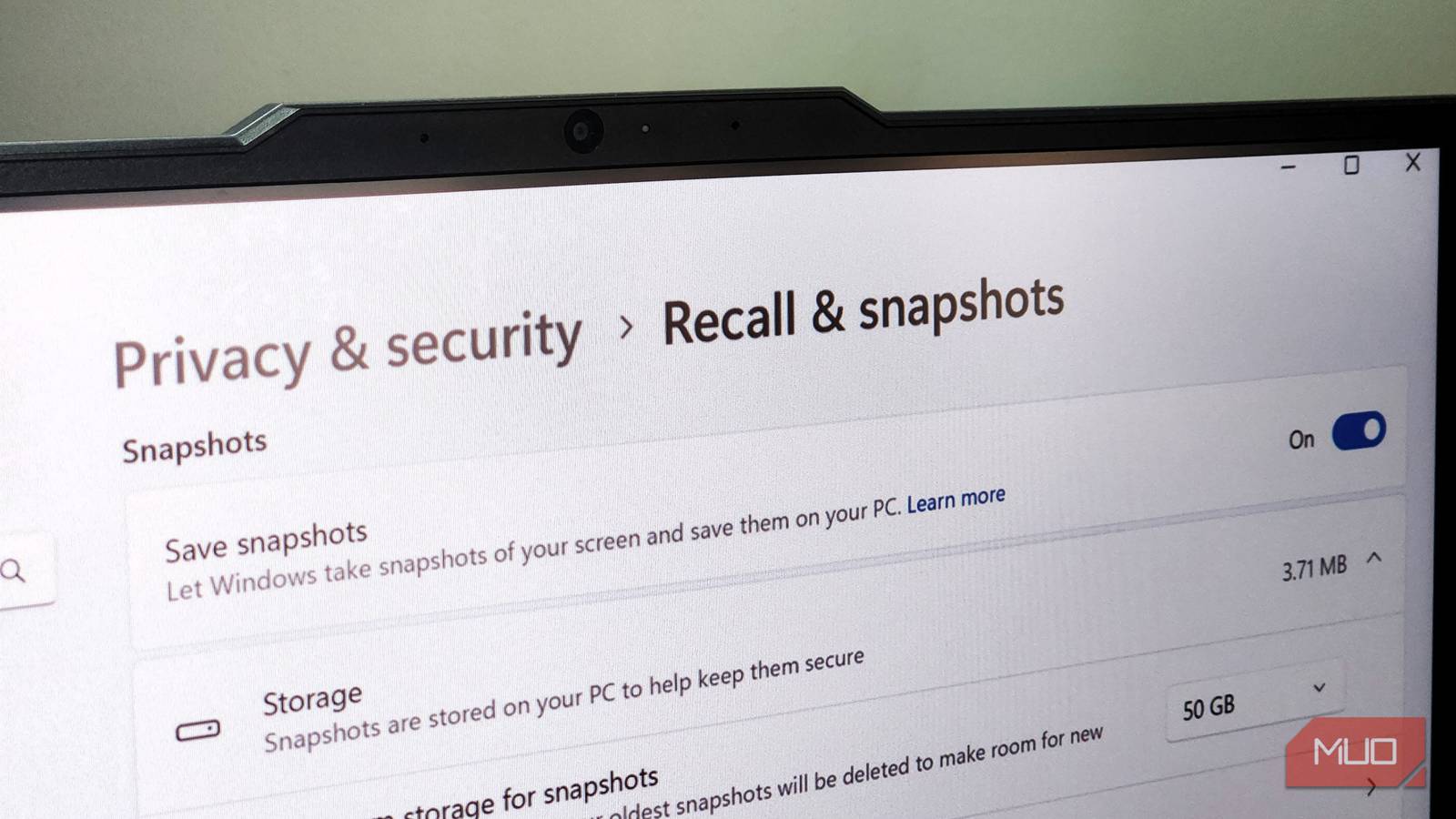
Related image for Windows Recall

Is Windows Recall Enabled? Simple Command Check

ByteTrending by ByteTrending
October 18, 2025
in Review, Tech
Reading Time: 3 mins read
0
Share on FacebookShare on ThreadsShare on BlueskyShare on Twitter

Understanding Windows Recall: A Quick Overview

There’s a fine line between convenience and privacy, and Microsoft’s new Windows Recall feature sits right on it. On one hand, it promises to be a game-changing addition to Windows, designed to help you retrace your steps and find anything you’ve previously seen or worked on. It functions similarly to your browsing history, but extends across your entire PC, offering an unprecedented level of recall.

Checking Windows Recall Status: Utilizing the DISM Command

While Microsoft has paused a broader rollout, some users might still have Windows Recall enabled, or simply want to confirm its status. Fortunately, determining this is straightforward using a command-line tool called DISM (Deployment Image Servicing and Management). This method provides a direct way to ascertain whether the controversial feature is active on your system.

Step-by-Step Instructions for Verification

  1. Firstly, open Command Prompt as an administrator. You can easily locate it by searching “cmd” within the Windows search bar, right-clicking on “Command Prompt,” and then selecting “Run as administrator.”
  2. Next, type or paste the following command into the Command Prompt window: DISM /Online /Get-Feature /FeatureName:'Recall'. This command specifically targets the Recall feature for status retrieval.
  3. Finally, press Enter to execute the command; the results will then be displayed within the Command Prompt window.
Command Prompt showing Recall status
The DISM command output clearly indicates the feature’s current state.

If the feature is enabled, you’ll see State: Enabled in the output. Conversely, if it’s disabled or not installed, the display will show State: Disabled. Importantly, a third possibility, Not Present, signifies that the feature isn’t even available on your system.

Interpreting Your Windows Recall Status and Potential Implications

The DISM command provides a clear indication of whether Windows Recall is active. Let’s delve into what each possible outcome truly means. Understanding these distinctions is crucial for managing your privacy settings and expectations regarding data collection.

Related Post

SALP-CG: Automating Health Data Classification with LLMs

February 3, 2026

DP-FedSOFIM: Faster Private Federated Learning

February 2, 2026

PiXTime: Federated Time Series Forecasting

January 31, 2026

Quantum Machine Unlearning: A New Approach

January 27, 2026
  • Enabled: This indicates that Windows Recall is currently running on your system, actively collecting data according to its defined parameters.
  • Disabled: With a disabled state, Windows Recall isn’t currently operational on your machine; this could be a deliberate choice or simply due to the feature not yet being rolled out for your specific Windows version.
  • Not Present: This outcome suggests that the Windows Recall feature is unavailable for your operating system altogether – a common scenario for older versions of Windows, meaning you likely won’t be able to utilize it.

Even with the rollout delays, knowing how to check this status remains valuable, as Microsoft may eventually reintroduce similar features in future updates. The ability to quickly confirm your system’s Recall state is therefore a useful skill.

The Future of Windows Recall: Balancing Innovation and Privacy

Microsoft has responded to user privacy concerns by adjusting the functionality of Windows Recall. While the core concept remains appealing, they’re demonstrating a clear commitment to ensuring user trust through careful evaluation and implementation. The pause in rollout is notably indicative of this responsible approach.

Ultimately, the future of Windows Recall hinges on Microsoft’s capacity to strike a balance between offering convenient features and maintaining robust privacy protections. This ongoing situation underscores the persistent tension between technological innovation and responsible data handling within modern operating systems, demonstrating why checking your Windows Recall status is increasingly important.


Source: Read the original article here.

Discover more tech insights on ByteTrending.

Share this:

  • Share on Facebook (Opens in new window) Facebook
  • Share on Threads (Opens in new window) Threads
  • Share on WhatsApp (Opens in new window) WhatsApp
  • Share on X (Opens in new window) X
  • Share on Bluesky (Opens in new window) Bluesky

Like this:

Like Loading...

Discover more from ByteTrending

Subscribe to get the latest posts sent to your email.
Tags: DismPCprivacyRecallwindows

Related Posts

Popular

SALP-CG: Automating Health Data Classification with LLMs

by ByteTrending
February 3, 2026
Popular

DP-FedSOFIM: Faster Private Federated Learning

by ByteTrending
February 2, 2026
Related image for federated time series
Popular

PiXTime: Federated Time Series Forecasting

by ByteTrending
January 31, 2026
Next Post
Related image for metamaterials

3D-Printed Metamaterials Dampen Vibrations

Leave a ReplyCancel reply

Recommended

Related image for Ray-Ban hack

Ray-Ban Hack: Disabling the Recording Light

October 24, 2025
Related image for Ray-Ban hack

Ray-Ban Hack: Disabling the Recording Light

October 28, 2025
Kubernetes v1.35 supporting coverage of Kubernetes v1.35

How Kubernetes v1.35 Streamlines Container Management

March 26, 2026
Related image for Docker Build Debugging

Debugging Docker Builds with VS Code

October 22, 2025
Docker automation supporting coverage of Docker automation

Docker automation How Docker Automates News Roundups with Agent

April 11, 2026
Amazon Bedrock supporting coverage of Amazon Bedrock

How Amazon Bedrock’s New Zealand Expansion Changes Generative AI

April 10, 2026
data-centric AI supporting coverage of data-centric AI

How Data-Centric AI is Reshaping Machine Learning

April 3, 2026
SpaceX rideshare supporting coverage of SpaceX rideshare

SpaceX rideshare Why SpaceX’s Rideshare Mission Matters for

April 2, 2026
ByteTrending

ByteTrending is your hub for technology, gaming, science, and digital culture, bringing readers the latest news, insights, and stories that matter. Our goal is to deliver engaging, accessible, and trustworthy content that keeps you informed and inspired. From groundbreaking innovations to everyday trends, we connect curious minds with the ideas shaping the future, ensuring you stay ahead in a fast-moving digital world.
Read more »

Pages

  • Contact us
  • Privacy Policy
  • Terms of Service
  • About ByteTrending
  • Home
  • Authors
  • AI Models and Releases
  • Consumer Tech and Devices
  • Space and Science Breakthroughs
  • Cybersecurity and Developer Tools
  • Engineering and How Things Work

Categories

  • AI
  • Curiosity
  • Popular
  • Review
  • Science
  • Tech

Follow us

Advertise

Reach a tech-savvy audience passionate about technology, gaming, science, and digital culture.
Promote your brand with us and connect directly with readers looking for the latest trends and innovations.

Get in touch today to discuss advertising opportunities: Click Here

© 2025 ByteTrending. All rights reserved.

No Result
View All Result
  • Home
    • About ByteTrending
    • Contact us
    • Privacy Policy
    • Terms of Service
  • Tech
  • Science
  • Review
  • Popular
  • Curiosity

© 2025 ByteTrending. All rights reserved.

%d