

Windows 11 includes a basic clipboard manager—accessible by pressing Win + V—which allows you to view the last 25 items copied to your clipboard. However, this functionality is limited; all data vanishes upon restarting your PC, except for those items you’ve pinned. Consequently, many users seek more comprehensive solutions.
Beyond Basic Functionality: Why a Robust Clipboard Manager Matters
For power users and anyone regularly copying and pasting information—such as code snippets, URLs, or extensive paragraphs—a dedicated clipboard manager is exceptionally valuable. They empower you to store multiple copied items, facilitating easy searching through them, organizing them into categories like ‘URLs,’ ‘Code,’ or ‘Text’, and even syncing across devices for seamless accessibility. Furthermore, a good clipboard manager can significantly boost productivity by eliminating the need to repeatedly copy and paste the same information.
Evaluating the Competition: A Range of Options
To find a clipboard manager that surpasses Windows’ built-in offering, I tested several popular options. My evaluation involved six contenders, each with its unique features and approach to managing copied data.
- Ditto: The open-source champion, which will be the primary focus of this review.
- ClipClip: A sleek option known for its feature richness and customizable interface.
- CopyQ: Another open-source contender distinguished by its scripting capabilities.
- HoneyView: This lightweight manager is primarily focused on handling images copied from the clipboard.
- ClipboardFusion: It offers advanced features like cloud synchronization and text transformations, but operates on a paid subscription model.
- FastClip: A straightforward, free option providing basic clipboard manager functionality.
Why Ditto Excelled in Testing
While each tested manager possessed certain strengths, Ditto consistently impressed with its balance of features and performance. Here’s a detailed look at what distinguished it from the competition:
Ditto’s Key Advantages
- Exceptional Speed and Efficiency: Ditto operates incredibly fast; its lightweight design ensures responsiveness even when managing hundreds of clipboard entries.
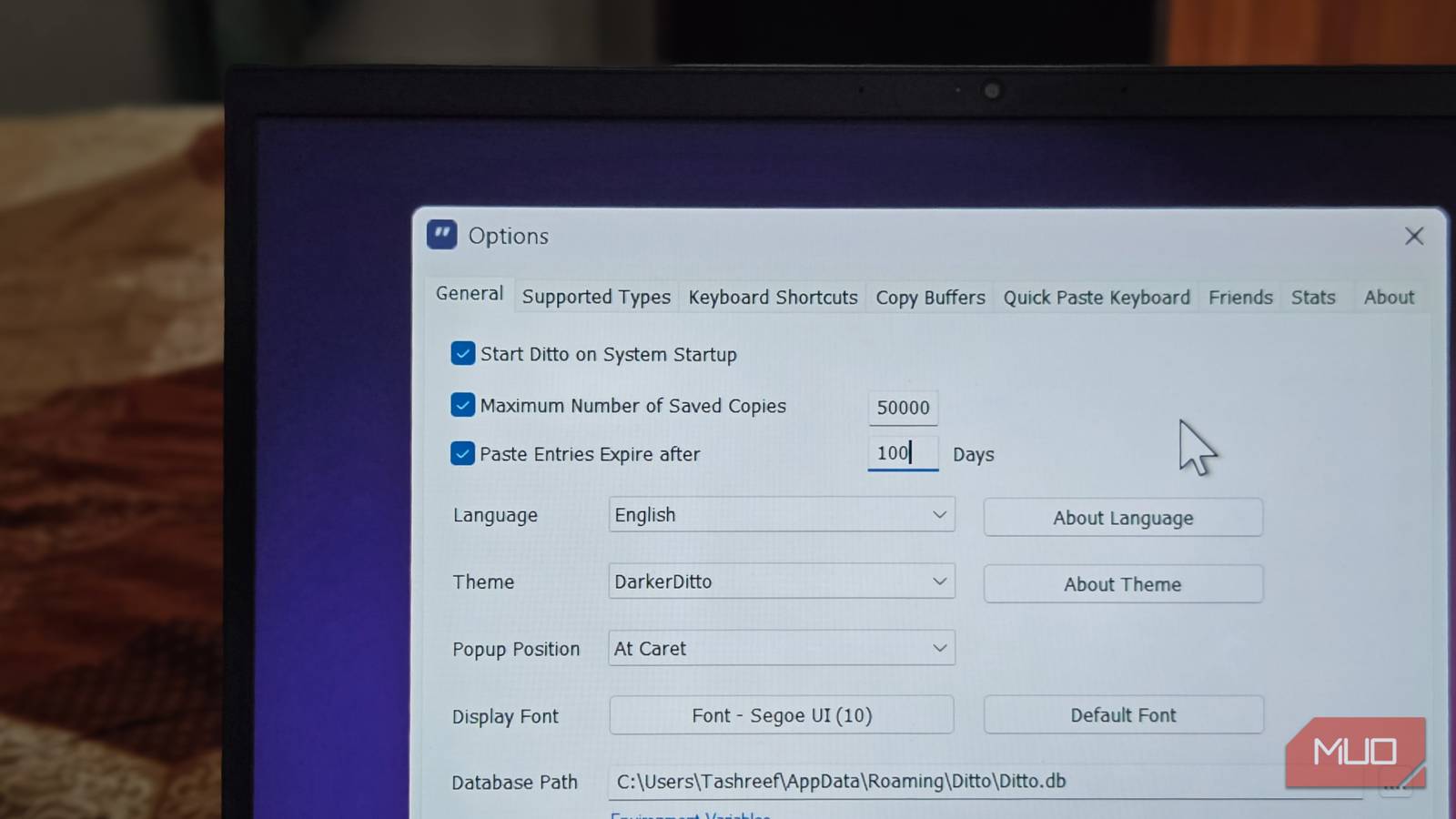
- Extensive Customization Options: You have considerable control over Ditto’s appearance, hotkeys, and data storage methods.
- Powerful Search Capabilities: Locating specific items within your clipboard history is remarkably quick and easy thanks to its robust search function.
- Free and Open Source: Being open source offers transparency and community support; moreover, it’s completely free to use, a significant advantage for budget-conscious users.
- Intuitive User Interface: The interface is clean, uncluttered, and easy to navigate, prioritizing functionality over unnecessary visual complexity.
Notably, Ditto’s ability to create named clips – effectively acting as folders – proved exceptionally useful for organizing my workflow, streamlining data retrieval.
Getting Started with Ditto: A Simple Guide
- Download and Installation: You can download Ditto from SourceForge.
- Customizing Hotkeys (Optional): By default, Ditto utilizes Ctrl + C for copying items to its history. Adjust these hotkeys in the settings if desired—this allows you to tailor it to your preferences.
- Start Copying: Begin copying text, images, and files as usual; Ditto automatically stores them in its clipboard history.
- Access Your History: Press Ctrl + Shift + V to open the Ditto window and browse through your stored copied items.
Furthermore, Ditto’s settings provide various options for automation, including automatic saving intervals, a limit on the number of clips stored, and appearance customizations.
Conclusion: Elevating Your Windows Workflow
While Windows’ built-in clipboard history represents an improvement, it falls short compared to dedicated solutions. Ditto provides a significantly more robust and customizable experience without compromising performance or incurring any cost. Therefore, if you frequently deal with copied data on your Windows PC, I highly recommend giving this excellent clipboard manager a try—you’re likely to find it invaluable.

Source: Read the original article here.
Discover more tech insights on ByteTrending.
Discover more from ByteTrending
Subscribe to get the latest posts sent to your email.