

Google’s innovative approach to software development continues, and now you can interact with their asynchronous coding agent, Jules, directly from your command line. Introducing JulesTools – a powerful new tool designed to streamline workflows and enhance developer productivity.
What is Jules?
Before diving into JulesTools, let’s understand what Jules itself represents. Jules is a coding agent – essentially an AI-powered assistant designed to help developers write code more efficiently. It leverages Google’s large language models (LLMs) to assist with tasks like generating code snippets, understanding existing codebase, and even debugging. Crucially, it operates asynchronously, allowing you to continue working while Jules performs complex operations in the background.
Introducing JulesTools: Command Line Integration
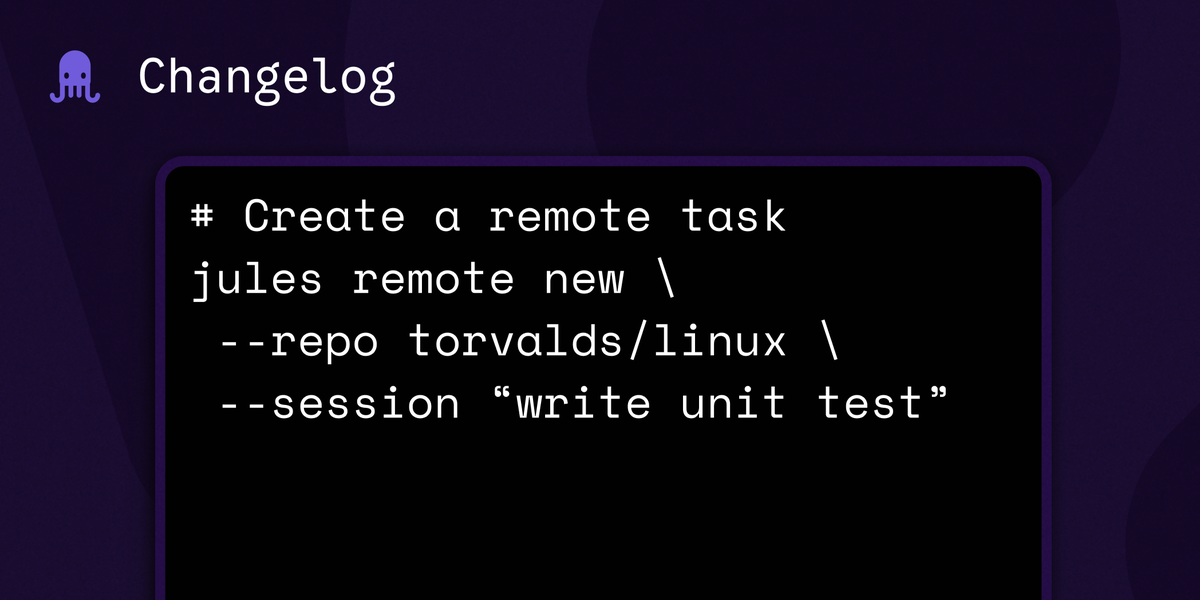
JulesTools bridges the gap between Google’s cloud-based AI capabilities and your local development environment. It provides a command-line interface (CLI) that lets you invoke Jules’ functionality without needing to navigate complex APIs or web interfaces. This integration dramatically simplifies common coding tasks, making them faster and more accessible.
Key Features of JulesTools
Furthermore, JulesTools offers several key features designed to boost developer productivity. For example, the code generation capabilities allow for rapid prototyping, while contextual understanding aids in navigating complex projects.
- Code Generation & Completion: Generate code snippets based on natural language prompts directly in your terminal. This dramatically speeds up development cycles.
- Contextual Code Understanding: Ask questions about your existing codebase and receive intelligent answers powered by AI. This is invaluable for onboarding to new projects or understanding complex logic, particularly with JulesTools‘s enhanced features.
- Debugging Assistance: Get suggestions for fixing bugs, understand error messages, and identify potential issues in your code. Consequently, debugging time is significantly reduced.
- Asynchronous Operation: JulesTools leverages Jules’ asynchronous nature, meaning operations run in the background without blocking your workflow. This keeps you productive while Jules handles complex tasks, demonstrating a significant advantage of JulesTools.
- Simplified API Access: Provides a user-friendly CLI for interacting with Google’s coding agent APIs, eliminating the need for intricate setup and configuration. Therefore, developers can quickly get started.
Getting Started with JulesTools
Setting up JulesTools is straightforward. First, ensure you have the necessary prerequisites including Node.js installed. Follow these steps:
- Installation: Use your preferred package manager (npm or yarn) to install JulesTools globally.
- Authentication: Authenticate with Google Cloud using your credentials. The CLI will guide you through this process.
- Exploration: Explore the available commands and options by running
jules --helpin your terminal.
Once installed, you can start leveraging JulesTools to accelerate your development workflows.
The Future of Development with AI
JulesTools represents a significant step toward integrating AI directly into the developer’s workflow. By providing easy command-line access to powerful coding assistance tools, Google is empowering developers to be more productive and efficient. As Jules continues to evolve, we can expect even greater integration and capabilities within the tooling ecosystem. Notably, JulesTools has the potential to revolutionize how software is developed.
Source: Read the original article here.
Discover more tech insights on ByteTrending.
Discover more from ByteTrending
Subscribe to get the latest posts sent to your email.