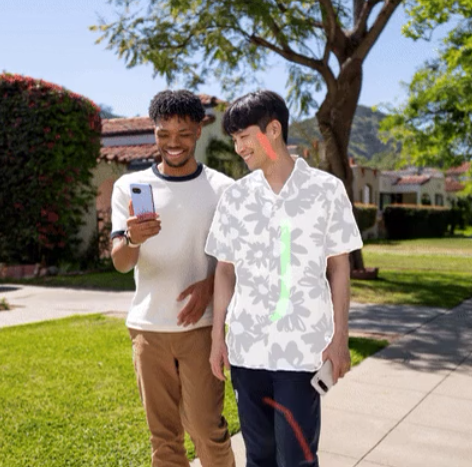


Google’s Snapseed, a widely recognized mobile photo editing app, is receiving a substantial upgrade with the introduction of innovative on-device segmentation capabilities. This feature, stemming from Google Research, promises a more intuitive and powerful editing experience, allowing users to isolate and manipulate specific parts of their photos with remarkable ease – truly redefining what’s achievable through Snapseed.
Understanding On-Device Segmentation: A Paradigm Shift
Traditionally, image segmentation—the process of identifying distinct objects or regions within a photograph—relied heavily on cloud processing. Consequently, data had to be transmitted to a server for analysis, creating latency and raising valid privacy concerns. However, on-device segmentation represents a significant shift in this approach. It enables the AI model to operate directly on your phone, delivering near-instantaneous results while safeguarding user privacy. Furthermore, it reduces dependence on internet connectivity.

Google’s research team has skillfully developed techniques to miniaturize these complex models and optimize them for mobile device efficiency. They achieved this through advancements in human-computer interaction and visualization methods. The result is an impressively accurate and responsive segmentation experience seamlessly integrated into Snapseed.
Utilizing the Object Tool within Snapseed
The new feature introduces a versatile “Object” tool to Snapseed’s editing suite, fundamentally changing how users interact with their photos. Let’s explore its core functionalities:
Automatic Object Detection
Initially, the app automatically identifies and segments objects within the photo, encompassing elements like people, animals, or specific types of foliage. This automated process significantly streamlines the initial selection phase. For example, it can accurately identify a person in a crowded scene.
Refining Selections with Interactive Brushes
Subsequently, users gain granular control through interactive refinement tools. They can precisely add or subtract areas using intuitive brush gestures, ensuring accurate isolation of desired elements. This level of precision allows for intricate edits and creative adjustments. Additionally, it facilitates corrections if the initial automatic selection isn’t perfect.
Selective Edits: Precision at Your Fingertips
Once an object is segmented, users can selectively apply a range of edits – including brightness, contrast, saturation, and even unique filters – exclusively to that particular region. Consequently, you could brighten a subject’s face while leaving the background untouched; a previously challenging task is now easily achievable within Snapseed.
Expanding Creative Horizons with Segmentation
While initial applications often focus on straightforward adjustments, the true potential of on-device segmentation in Snapseed stretches far beyond basic edits. Consider these exciting possibilities:
- Creative Compositing: Effortlessly extract elements from one photograph and seamlessly integrate them into another to create captivating new visuals.
- Background Replacement: Replace distracting backgrounds with ease, producing stunning visual effects that elevate the overall aesthetic of your photos.
- Advanced Masking Techniques: Create intricate masks for complex editing tasks—formerly exclusive to desktop software—now accessible on a mobile device.
The capacity to execute these advanced manipulations directly on a mobile platform unlocks new avenues for creative expression and drastically simplifies workflows.
A Glimpse into the Technical Architecture
# Simplified representation of segmentation process
def segment_object(image):
  # AI model runs locally
  segments = ai_model.predict(image)
  return segments # Returns a mask indicating object boundaries
The underlying technology hinges on a combination of sophisticated neural networks and optimized algorithms, meticulously engineered for peak performance on mobile hardware. Google’s unwavering commitment to user privacy guarantees that no images are uploaded or shared during the segmentation process.
Conclusion: The Future of Mobile Editing
The introduction of interactive on-device segmentation into Snapseed represents a monumental leap forward in the realm of mobile photo editing. It brings powerful AI capabilities directly to users’ fingertips, empowering them with unprecedented control and creative opportunities while upholding user privacy as a priority. Therefore, this feature isn’t merely an update; it provides a compelling glimpse into the future of mobile image manipulation.
Source: Read the original article here.
Discover more tech insights on ByteTrending.
Discover more from ByteTrending
Subscribe to get the latest posts sent to your email.