


Converting videos, audio files, or even images often felt like a time-consuming task in the past. However, FFmpeg offers a solution as a powerful, open-source media engine capable of handling virtually any format imaginable. This versatile tool allows for encoding, transcoding, and manipulation of multimedia content; therefore, it’s an invaluable asset. The only perceived challenge lies in its command-line interface, which can initially seem intimidating to those unfamiliar with typing commands.
Understanding FFmpeg: A Cornerstone of Media Manipulation
Before exploring the applications that simplify working with it, let’s briefly examine what makes FFmpeg so remarkable. Essentially, it’s a comprehensive toolkit for media manipulation—a true Swiss Army knife. For example, if you need to adjust video resolution, FFmpeg can do it easily. Furthermore, extracting audio from a video file is also straightforward. Similarly, converting an uncommon video format into one compatible with your device becomes manageable thanks to FFmpeg’s capabilities. Its exceptional flexibility derives from its ability to decode, encode, transcode, mux, demux, stream, filter, and play practically anything.
The Core Functionality of FFmpeg
At its heart, FFmpeg is a suite of libraries and programs. Notably, it doesn’t just convert; it fundamentally understands the structure of media files. Therefore, you have granular control over every aspect of the conversion process. As a result, professionals and enthusiasts alike rely on this tool for complex workflows.
Why Choose FFmpeg?
FFmpeg’s open-source nature is another significant benefit. Consequently, it’s free to use and distribute, fostering continuous development and community support. In addition, its cross-platform compatibility—running on Windows, macOS, and Linux—broadens its accessibility. Because of these advantages, FFmpeg remains the preferred choice for many.
Leveraging FFmpeg Through User-Friendly Applications
Fortunately, developers have created user-friendly applications that harness the power of FFmpeg without requiring users to directly interact with its command line. These tools offer a simplified interface while still allowing access to FFmpeg’s robust functionality. Here are some excellent options available for unlocking ffmpeg’s potential:
- HandBrake: While not exclusively an FFmpeg wrapper, HandBrake extensively utilizes FFmpeg for transcoding and provides a simple interface for converting videos to various formats, optimizing them for different devices. It’s incredibly popular for legally ripping DVDs and Blu-rays.
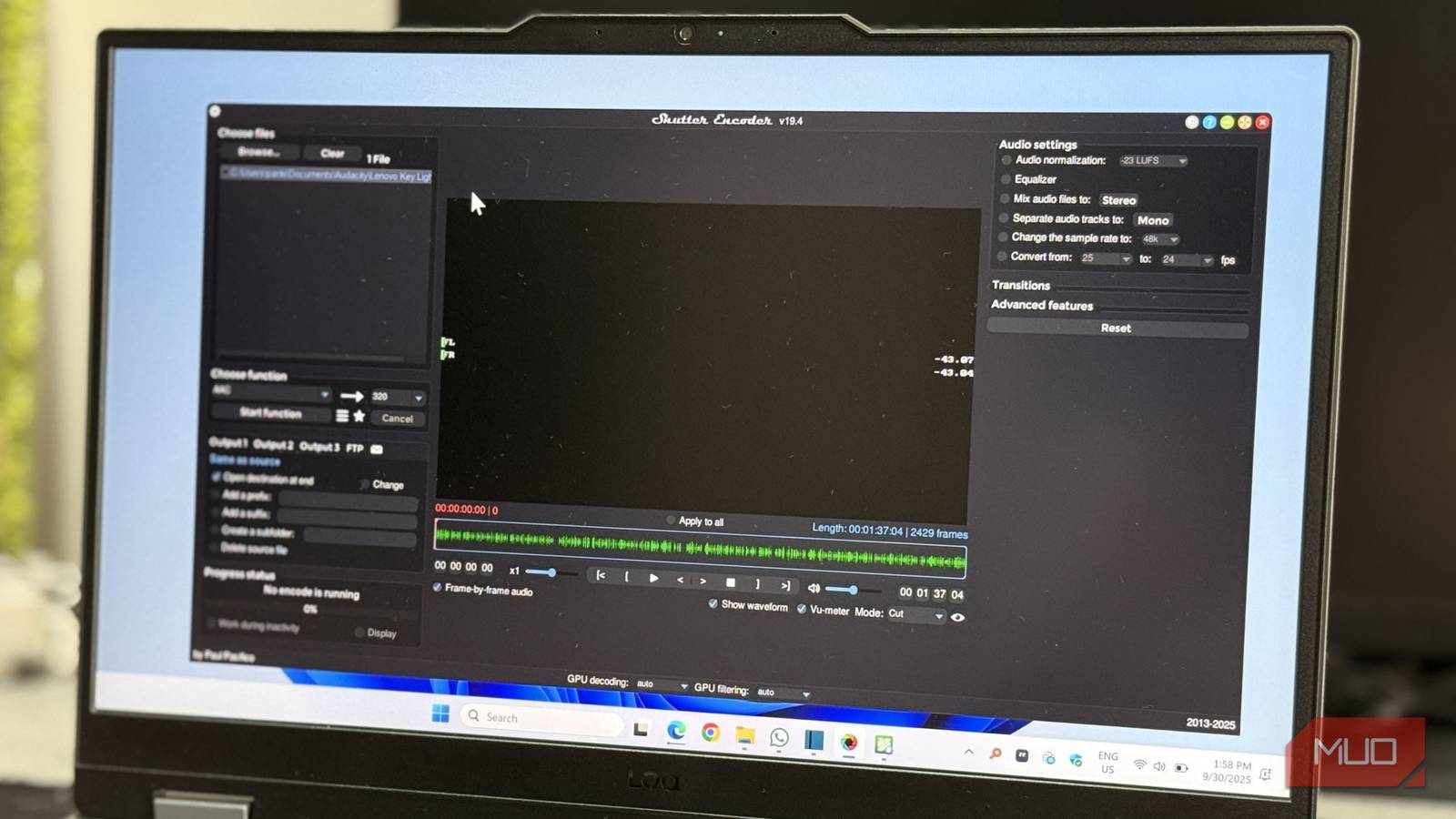
- Shutter Encoder: This application is arguably the most comprehensive option. Shutter Encoder exposes a vast array of FFmpeg codecs and filters through an intuitive GUI, allowing extensive customization. It supports batch processing and presets, making it ideal for users who desire more control over their conversions.

The FFmpeg logo represents a powerful, yet complex tool. - Avidemux: A free, open-source video editor that also leverages FFmpeg under the hood. While primarily a video editing tool, it can be used for basic format conversion and simple edits like trimming and cropping. Therefore, it offers an all-in-one solution for some users.
- FFmpeg Converter (Various Apps): Numerous apps with names including “FFmpeg Converter” exist on various platforms; however, their quality and functionality can vary considerably. It’s important to research thoroughly before choosing one of these options.
Comparing the Options: Finding Your Ideal FFmpeg Wrapper
Choosing the right application depends largely on your technical skill level and desired control. For instance, HandBrake is excellent for beginners seeking a straightforward conversion process. Meanwhile, Shutter Encoder caters to advanced users who require granular adjustments. Avidemux strikes a balance between simplicity and functionality, offering both editing and conversion capabilities.
A Quick Comparison Table
| Application | Ease of Use | Customization Options | Primary Focus |
|---|---|---|---|
| HandBrake | Very Easy | Limited | Video Transcoding |
| Shutter Encoder | Moderate | Extensive | Advanced Media Manipulation |
| Avidemux | Easy | Moderate | Video Editing & Conversion |
In conclusion, while the command-line interface of FFmpeg can be daunting initially, user-friendly applications bridge that gap, making its powerful capabilities accessible to everyone. Whether you’re a casual user or a seasoned professional, there’s an FFmpeg wrapper out there to simplify your media workflows and unlock creative possibilities.
Source: Read the original article here.
Discover more tech insights on ByteTrending.
Discover more from ByteTrending
Subscribe to get the latest posts sent to your email.