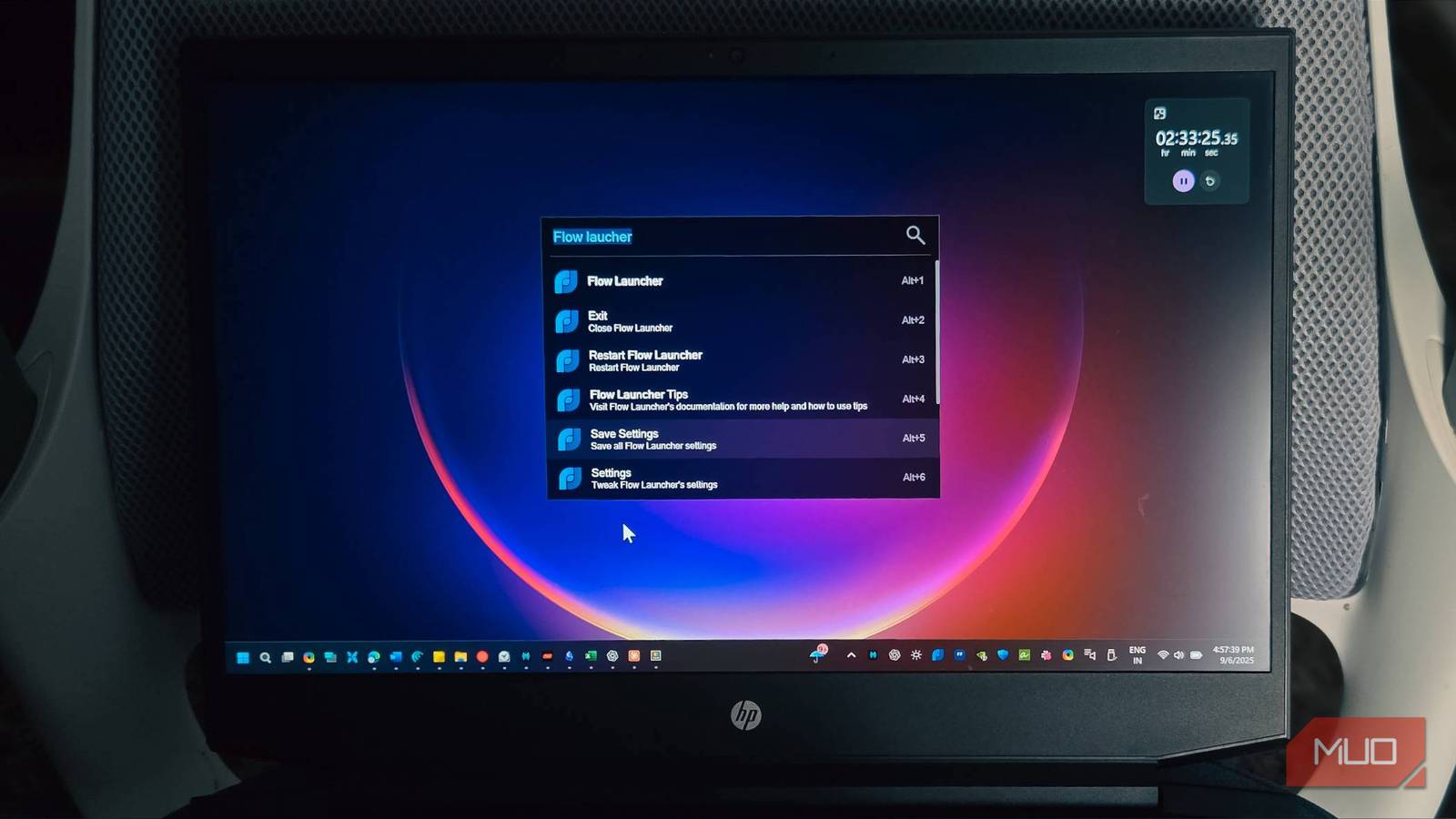


Microsoft’s efforts to simplify the Windows 11 Start menu, aiming for a smartphone-like experience, haven’t completely satisfied many users. While an improvement over previous versions, it can still feel clunky and slow, particularly when launching applications. For those seeking a more responsive and customizable alternative, FlowLauncher offers a compelling solution—a powerful application launcher designed to boost PC speed and productivity.
Why Consider Alternatives to the Windows Start Menu?
The default Windows Start menu, despite recent enhancements, often leaves power users wanting more. Its tile-based design can be visually overwhelming, customization options are limited, and performance occasionally lags. Many find themselves spending valuable time searching for frequently used applications and files. Furthermore, the inherent limitations of the standard search functionality highlight the need for a quicker, more efficient alternative – something like FlowLauncher.

Introducing FlowLauncher: A Customizable Command Center
FlowLauncher is an open-source application launcher that significantly improves the Windows experience. It’s not just a search tool; it’s a fully customizable command center accessible with a simple keyboard shortcut (defaulting to Alt+Space). Notably, its speed and flexibility address common frustrations with the default Start menu. Here’s a closer look at what makes FlowLauncher exceptional:
- Lightning-Fast Search Speed: The launcher indexes files, folders, applications, and web pages almost instantaneously—a considerable improvement over Windows’ often slow search functionality.
- Extensive Customization Options: From the visual appearance to its core functionalities, practically everything is customizable. Themes, plugins, and extensions allow for a truly personalized experience tailored to your unique workflow.
- A Rich Plugin Ecosystem: FlowLauncher boasts an impressive plugin ecosystem that expands its capabilities significantly. For example, available plugins offer features like built-in calculators, dictionary lookups, music playback controls, and much more.
- Seamless Workflow Integration: It integrates smoothly with various applications and services. You can search cloud storage (like Dropbox or Google Drive), perform web searches, and execute custom commands—all without disrupting your current workflow.
- Open Source & Free of Charge: As an open-source project, FlowLauncher is completely free to use and benefits from continuous improvements driven by the community.
Installation is straightforward; simply download the installer from the official website (https://flowlauncher.org/) and follow the on-screen instructions. During setup, you can choose to replace the Windows Start menu entirely or run FlowLauncher alongside it.
Key Features & Getting Started
Using FlowLauncher is intuitive right from the start. To maximize its benefits, consider exploring these key features:
- Customizable Keyword Search: Assign keywords to specific folders or applications for even faster and more direct access; this significantly reduces search time.
- Search History Tracking: Quickly locate recently accessed files and applications with the built-in history tracking feature.
- Context Menu Integration: Right-click on files and folders to initiate a quick search within FlowLauncher, streamlining your workflow further.
- Configurable Search Sources: Precisely control what locations are indexed by FlowLauncher, allowing you to exclude unnecessary data for faster performance.
Moreover, the ability to define custom commands is a particularly powerful feature that enables automation of repetitive tasks and streamlines workflows considerably.
Conclusion: Elevate Your Windows Productivity
Replacing the standard Windows Start menu with FlowLauncher has proven transformative for my productivity. Its speed, customization options, and enhanced functionality far surpass those offered by the default Start menu. If you’re looking to enhance your overall Windows experience and optimize your workflow, I strongly encourage you to explore FlowLauncher—it’s a worthy upgrade indeed.
Ultimately, FlowLauncher provides an exceptional level of control and efficiency within the digital workspace.
Source: Read the original article here.
Discover more tech insights on ByteTrending.
Discover more from ByteTrending
Subscribe to get the latest posts sent to your email.