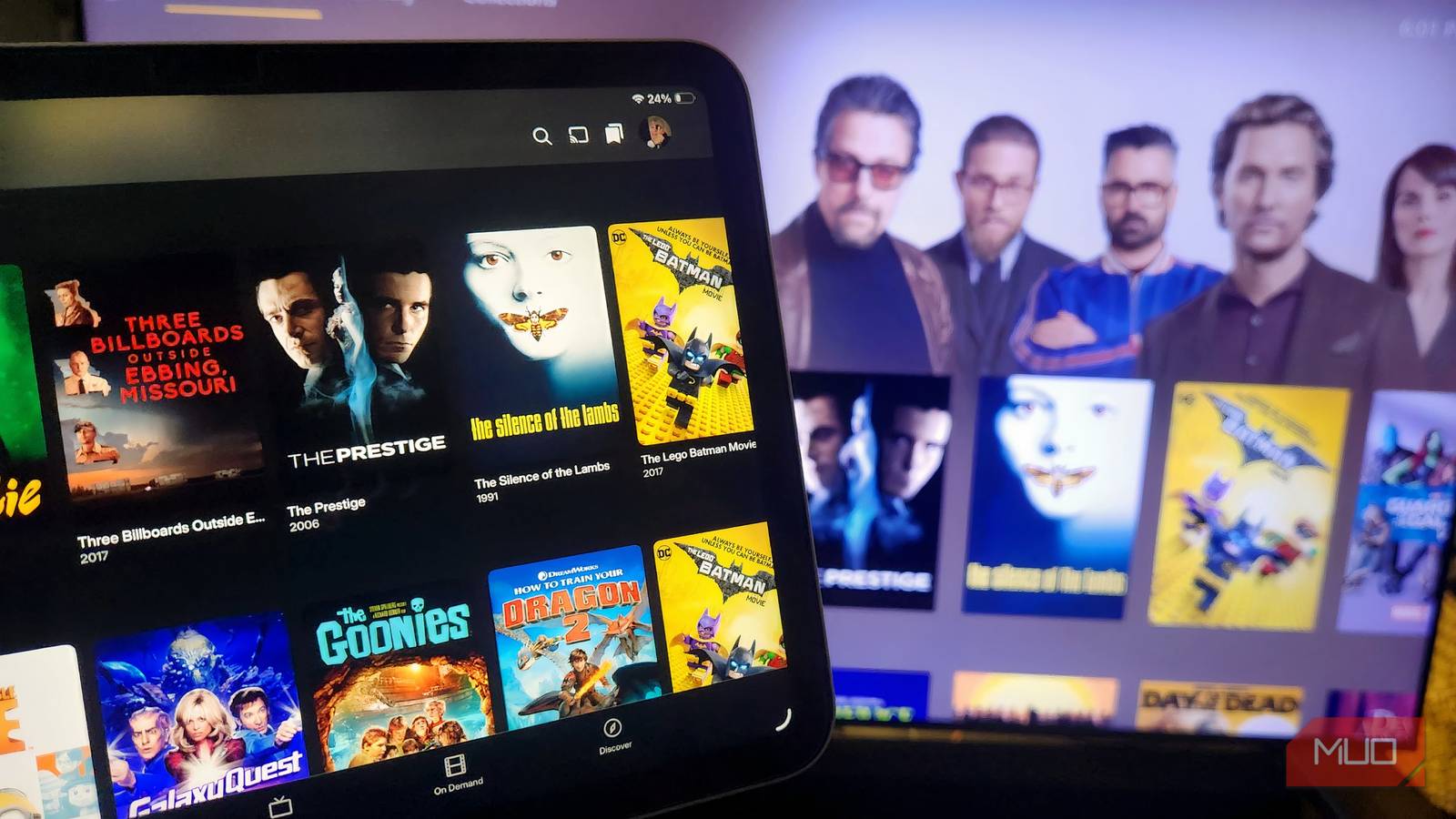


I have been using Kodi since 2019, having recently given the platform a new lease of life with my Fire TV Stick. It has been my go-to digital media center for several reasons, including its flexibility, customization options, open-source functionality, and a thriving community of developers creating new add-ons. However, while Kodi ticked most boxes, as a frequent traveller, I wanted the ability to access my media library remotely. It was time to give Plex a try.
Why Switch From Kodi? The Remote Access Advantage
Kodi’s strength lies in its local playback capabilities and vast customization potential. However, accessing your media collection when you’re away from home has always been a workaround at best. Setting up remote access with Kodi involves configuring port forwarding on your router, dealing with dynamic IP addresses, and potentially battling VPN complexities – a headache for anyone who isn’t technically inclined. Plex, on the other hand, solves this problem elegantly. Its cloud-based infrastructure handles all the server-side logistics, allowing you to stream your media from anywhere with an internet connection.
Understanding Remote Access Challenges with Kodi
For many years, I struggled with trying to access my Kodi library remotely. The process is technically challenging and often unreliable. Furthermore, maintaining a stable remote connection requires ongoing adjustments as network configurations change. Consequently, the frustration outweighed the benefits.
How Plex Simplifies Remote Streaming
Plex’s architecture simplifies remote streaming considerably. You don’t need to worry about port forwarding or dynamic IP addresses; everything is managed by Plex servers. This ease of use makes it accessible even for those who are not technically proficient.
Plex’s Game-Changing Features That Won Me Over
- Seamless Remote Streaming: As mentioned before, accessing my library on my laptop while traveling was effortless. The app is intuitive and reliable.
- Automatic Metadata Matching: Plex excels at automatically identifying media files and fetching metadata like movie posters, descriptions, and cast information. Kodi requires more manual intervention for this process.
- Transcoding Capabilities: Plex can transcode media on the fly to ensure compatibility with various devices and internet speeds. This is crucial when streaming over less-than-ideal connections.
- User Management and Sharing: Plex makes it incredibly easy to share your library with family and friends, controlling their access levels.
The Power of Automatic Metadata
One of the most significant time-savers in Plex is its automatic metadata matching. While Kodi can also fetch metadata, it often requires manual intervention to correct errors or fill in missing information. Consequently, Plex’s automation greatly simplifies library management.
Transcoding for Optimal Viewing
Streaming media over different internet connections and devices can be challenging. Thankfully, Plex‘s transcoding capabilities automatically adjust the video quality to ensure smooth playback, regardless of bandwidth limitations.
Kodi Still Has Its Place, But Plex Is My New Go-To
Don’t get me wrong; Kodi remains a powerful and versatile media center. For those who prioritize local playback and extensive customization options, it’s still an excellent choice. However, for my needs—especially the ability to access my media library remotely—Plex provides a far superior experience. The ease of use, automatic metadata management, and transcoding capabilities were game-changers. I’m genuinely surprised at how long I resisted making the switch; Plex is now firmly entrenched as my primary digital media solution.
Switching to Plex wasn’t about Plex being inherently *better* than Kodi in every aspect; it was about addressing a specific need—remote accessibility—that Kodi struggled with. While I’ll likely still keep Kodi around for certain specialized tasks or local playback, Plex has undoubtedly become my go-to platform for enjoying my digital media collection.
Source: Read the original article here.
Discover more tech insights on ByteTrending.
Discover more from ByteTrending
Subscribe to get the latest posts sent to your email.