

Unlock Faster, More Reliable Software Delivery with Spec-Driven Development
The usual workflow with AI coding agents like GitHub Copilot often involves a simple iterative process: “Write app A that does X.” You start with that seed, then iterate: “Add feature Y,” “Fix bug Z.”. However, this approach can quickly become problematic as the agent loses track of your application’s purpose or past decisions. This guide explores how embracing a spec-driven development approach can improve these workflows and minimize errors. Spec-driven development offers a powerful way to manage AI coding agents.
If you’re new to AI coding agents, the change in behavior can be subtle. Suddenly, the agent might ask you to repeat previously explained details, suggest changes that contradict your existing instructions, or forget why specific features exist—proposing solutions that conflict with earlier choices. Fortunately, many AI coding agents now offer ways to help manage this context by supporting custom instruction files. For example, GitHub Copilot supports copilot-instructions.md. You can document your application’s purpose and design decisions in this Markdown file, which GitHub Copilot will reference every time it generates code. However, I’ve found that updating copilot-instructions.md after each request to the AI coding agent can feel redundant, especially when working quickly. This led me to a different approach—what if I could effectively “write” the entire app within the Markdown instructions file?
Structuring Your Project for Spec-Driven Development
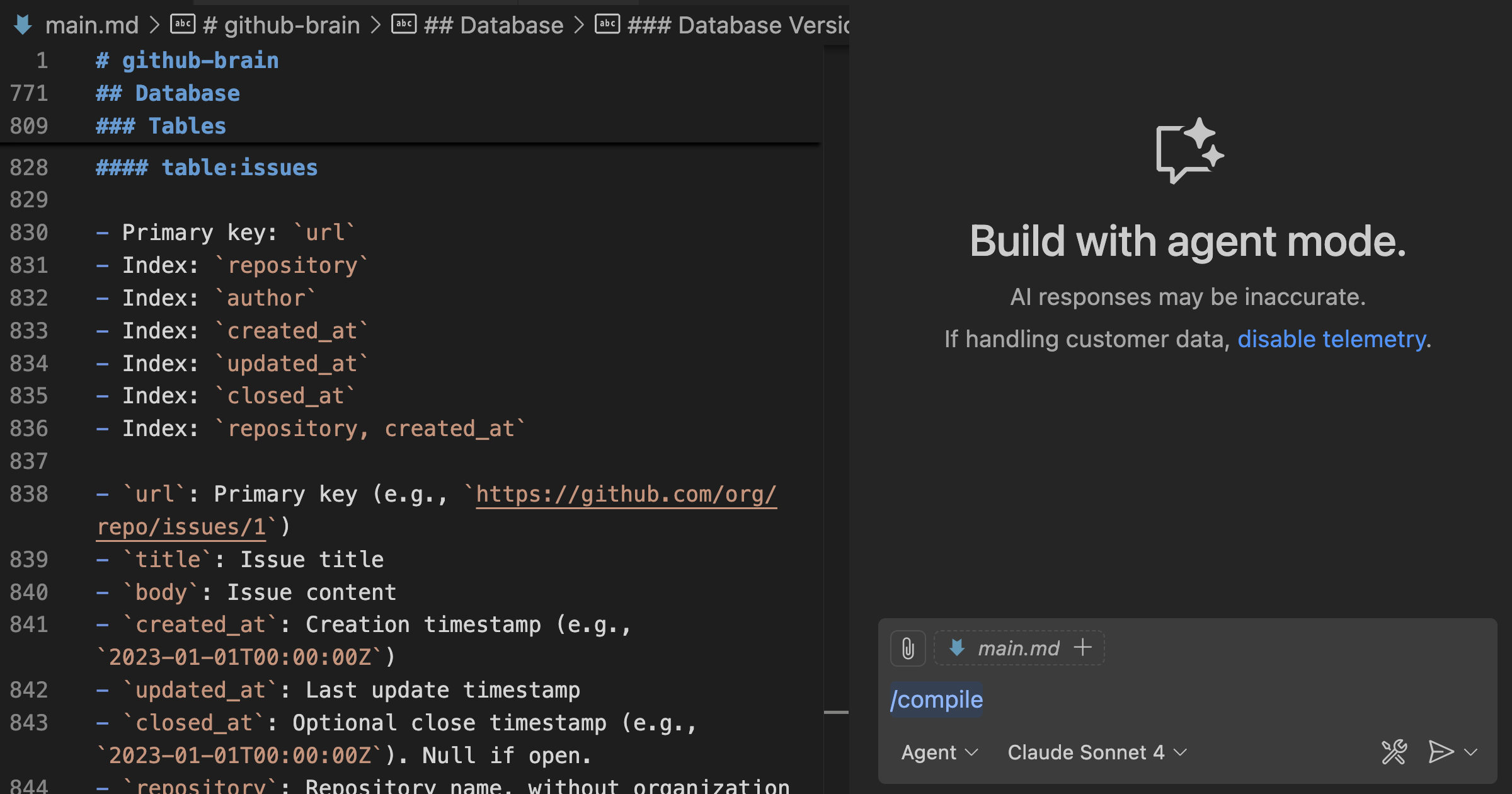
For my latest pet project — GitHub Brain MCP Server— I experimented with precisely that: writing the application code in Markdown and letting GitHub Copilot compile it into actual Go code. As a result, I rarely directly edit or view the app’s Go code. This demonstrates the power of spec-driven development.
This process should be adaptable to any AI coding agent and programming language; however, I’ll use VS Code, GitHub Copilot, and Go as examples throughout this post. GitHub Brain MCP Server serves as my example application.
Project File Structure
The key to implementing spec-driven development lies in structuring your project around Markdown files that serve as the specification for your code. Here’s a breakdown of the essential components:
.
.github/
prompts/
compile.prompt.md
main.go
main.md
README.md
Roles of Key Files
- README.md: Acts as user-facing documentation for your application, describing its purpose and usage.
- main.md: This is the core specification file. It contains a detailed outline of your application’s functionality, including design decisions, data structures, and algorithms. Essentially, it’s the complete specification for the AI coding agent to follow.
- compile.prompt.md: Used to instruct GitHub Copilot to generate code from your specification in
main.md. This prompt tells the AI coding agent what programming language to use and any specific libraries or frameworks to include.
Benefits of a Spec-Driven Approach
The spec-driven development workflow offers several advantages over traditional approaches when working with AI coding agents:
- Improved Contextual Awareness: Centralizing the application’s specification in a single Markdown file provides the AI coding agent with a comprehensive understanding of its purpose and design, leading to more consistent and accurate code generation.
- Reduced Redundancy: You avoid repeatedly explaining the same concepts to the AI coding agent, streamlining the development process. Furthermore, this reduces cognitive load for developers as well.
- Enhanced Collaboration: The specification serves as a shared reference point for all team members, improving communication and ensuring everyone is on the same page. This makes understanding the project’s intent far easier, even if you didn’t contribute to its initial design.
- Increased Reliability: A well-defined specification reduces the risk of errors and inconsistencies in the generated code. On the other hand, poorly defined specifications can lead to unpredictable outcomes.
Tools for Streamlining Spec-Driven Development
To make implementing spec-driven development even more practical, consider using tools like Spec Kit. Spec Kit provides a structured process to bring spec-driven development to your AI coding agent workflows with GitHub Copilot, Claude Code, and Gemini CLI. It’s also open source and constantly evolving.
Get started with Spec Kit on GitHub
Conclusion: Embracing a New Paradigm
Spec-driven development offers a compelling alternative to traditional coding workflows, especially when leveraging the power of AI coding agents. By treating your application’s specification as code itself, you can unlock faster development cycles, improve code quality, and foster better collaboration among team members. This approach represents a shift towards a more structured and reliable software development process, ultimately leading to more successful projects. Embracing spec-driven development with tools like GitHub Copilot paves the way for more efficient and predictable outcomes in your AI-assisted coding journey. Spec-driven development is an exciting frontier in modern software engineering.
Source: Read the original article here.
Discover more tech insights on ByteTrending.
Discover more from ByteTrending
Subscribe to get the latest posts sent to your email.