
Related Post
Forget about generative AI for a moment – there’s something far more quietly revolutionary happening within Windows 11, and it might just be the most significant upgrade you haven’t fully appreciated yet. We’re talking about a feature that addresses one of the internet’s oldest and most persistent frustrations: passwords. They’re frustrating to remember, vulnerable to breaches, and frankly, a colossal pain to manage across countless accounts.
Enter passkeys, a next-generation authentication method rapidly gaining traction as a safer, simpler alternative to traditional usernames and passwords. Think of them as digital keys stored securely on your devices, eliminating the need for those long, complex strings of characters you desperately try to recall (or worse, write down). These aren’t new technology entirely, but their seamless integration into Windows 11 is truly game-changing.
The beauty of it all lies in how dramatically passkeys improve the user experience. No more password resets! No more worrying about whether your favorite website was compromised! With **Windows 11 Passkeys**, authentication becomes effortless and significantly more secure, leveraging biometric verification or device PINs for a truly streamlined login process – a welcome sanity upgrade for everyone.
While AI continues to dominate headlines, this subtle but powerful shift in security architecture deserves recognition. It’s a practical improvement that directly impacts everyday users, making the digital world just a little bit less stressful and considerably more protected.
The Password Problem Persists
For years, we’ve been told to create complex passwords – a jumble of uppercase letters, lowercase letters, numbers, and symbols – all unique for every website and service we use. The rationale? To protect our data from increasingly sophisticated cyberattacks. But this system isn’t working. Password fatigue is *real*, with studies showing that a staggering number of people reuse passwords across multiple accounts or resort to easily guessable combinations simply to cope with the mental load. This creates a massive vulnerability, making us all prime targets for breaches and account takeovers.
The sheer volume of online accounts most individuals manage today contributes significantly to this problem. Remembering dozens of complex strings is practically impossible, leading to password managers (which themselves introduce new security considerations) or, more commonly, risky shortcuts like variations on a single, predictable phrase. And let’s not forget the constant cycle of ‘reset your password’ emails – a frustrating and time-consuming ritual that often feels less about security and more about adding to our daily stress.
Frequent data breaches only exacerbate the issue. When one service is compromised, it’s not just their users at risk; it’s anyone who reused that password elsewhere. The ongoing cycle of creating, remembering, resetting, and fearing exposure leaves many feeling powerless against online threats. It’s a system designed to fail, and frankly, most people are simply trying to survive the daily grind of managing digital identities under increasingly difficult conditions.
Password Fatigue is Real

The sheer volume of online accounts most people manage contributes significantly to what’s known as password fatigue. Studies consistently show a staggering number of users reuse passwords across multiple sites; a 2023 survey by NordPass found that 52% of respondents admit to reusing passwords, and this figure remains stubbornly high despite ongoing security warnings. This practice dramatically increases the risk – if one site is compromised, attackers gain access to numerous accounts.
Compounding the issue is the tendency for users to create weak or easily guessable passwords in an attempt to remember them all. LastPass’s 2023 Password Strength Index revealed that many popular websites still receive logins using demonstrably weak passwords like ‘password123’ or variations thereof. The constant need to balance complexity requirements (often mandated by security policies) with memorability creates a frustrating and unsustainable cycle for users.
Beyond the direct security risks, password management carries a significant mental load. Remembering numerous complex passwords – or even keeping track of them in spreadsheets or note-taking apps – is cognitively taxing. This cognitive burden contributes to user frustration and often leads to workarounds that compromise security, such as writing passwords down or sharing them with others. The introduction of passkeys aims to alleviate this pressure by offering a more secure and user-friendly alternative.
Enter Passkeys: A Simpler Solution
For years, we’ve all been drowning in a sea of passwords – complex strings of characters we struggle to remember, constantly reset, and nervously reuse across multiple accounts. It’s a system riddled with vulnerabilities, prone to breaches, and frankly, exhausting. But Microsoft is quietly introducing a genuinely exciting solution within Windows 11: passkeys. Think of them as the natural evolution of online authentication, designed to replace those frustrating password rituals with something significantly more secure and user-friendly.
So, what *are* passkeys? Essentially, they’re digital keys that unlock your accounts directly tied to your devices – whether it’s a Windows 11 PC, smartphone, or tablet. Instead of typing in a username and password, you authenticate using something you already have: your fingerprint, facial recognition (Windows Hello), or even a simple PIN. The beauty is that these passkeys are ‘device-bound,’ meaning they’re specifically linked to the device where they’re created, making them far more resistant to phishing attacks and data breaches – unlike passwords which can be stolen and reused.
Under the hood, passkeys work by creating a cryptographic key pair. One part of this key stays safely stored on your device, while a corresponding public key is registered with the website or app you’re using. When you log in, your device uses these keys to verify your identity without ever transmitting your password. This eliminates the need for remembering long strings and reduces the risk of someone intercepting your credentials. It’s a seamless process; when supported websites offer passkey creation, Windows 11 will guide you through it, often with just a few clicks or a quick scan.
Ultimately, Windows 11 passkeys aren’t just about improved security – they’re about reclaiming some sanity. They simplify the login experience, reduce password fatigue, and provide a substantial upgrade in protection against increasingly sophisticated online threats. As more websites adopt passkey support, this shift promises to fundamentally change how we access our digital lives for the better.
How Passkeys Work Under the Hood
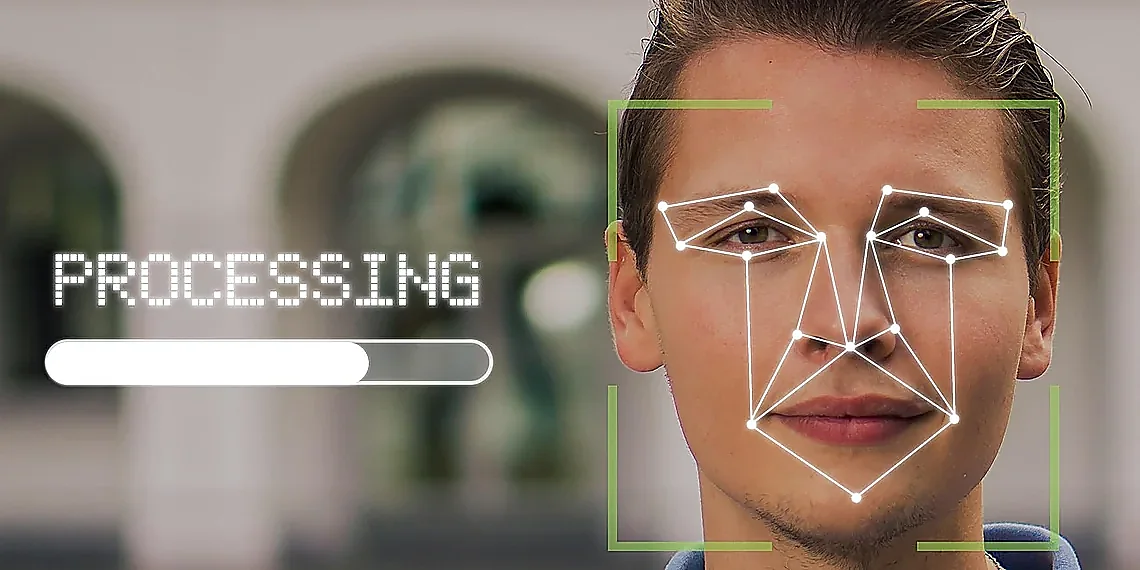
Passkeys fundamentally change how you prove your identity online, moving away from traditional passwords to a system linked directly to your devices. Instead of typing in a username and password, passkeys use cryptographic keys stored securely on your computer or phone. Think of it like this: each website or app you use now has a ‘digital key’ associated with your device – not just your account.
When logging into a service that supports passkeys, your device verifies that *you* are the one trying to access it. This verification usually happens through biometrics (like fingerprint scanning or facial recognition) or by asking for your PIN. The website never sees the actual key; instead, your device proves you have permission to use it. This eliminates the risk of password reuse and phishing attacks which exploit typed-in credentials.
The beauty of passkeys is that they’re tied to specific devices – making them much more secure than passwords. If a device is lost or stolen, the passkey associated with it isn’t usable without also having access to your biometric data or PIN on that device. This creates an extra layer of protection, and simplifies the login process by removing the need to remember (and constantly reset) complex passwords.
Windows 11’s Passkey Integration
Windows 11’s embrace of passkeys isn’t just a security upgrade; it’s a genuine sanity saver for anyone tired of remembering (or resetting) endless passwords. Microsoft has thoughtfully integrated passkeys directly into the operating system, making them incredibly easy to set up and use, even for those who aren’t particularly tech-savvy. The experience is designed to be intuitive – a far cry from the often clunky implementations we’ve seen elsewhere. This seamless integration sets Windows 11 apart, positioning it as a leader in the shift away from traditional password authentication.
At the heart of this integration lies Microsoft Edge’s robust passkey support. When you create an account on a website that supports passkeys (and increasingly, they do), Edge will offer to generate and store a passkey alongside your username and password option. The process is remarkably straightforward; often just a single click initiates the creation. Crucially, Windows 11’s passkey management isn’t locked into Edge – it leverages the underlying Windows credential manager, allowing you to use passkeys across other compatible browsers and apps on your device.
One of the most compelling aspects of Windows 11’s passkey integration is its cross-platform compatibility. While initially strongest within the Microsoft ecosystem, passkeys generated in Windows 11 can be synced through services like Microsoft Account or third-party password managers to other devices – including iPhones and Android phones. This interoperability means you don’t have to commit exclusively to a single platform to benefit from the enhanced security and convenience of passkeys. It’s about liberating users from password silos, not trapping them within one.
Ultimately, Windows 11’s passkey integration represents a significant step forward in user-friendly cybersecurity. Forget complex setup procedures and confusing interfaces; Microsoft has prioritized simplicity and accessibility. The result is a system that empowers users to bolster their online security without the usual headaches associated with password management – a welcome change indeed.
Setting Up and Using Passkeys in Windows 11
Creating your first passkey in Windows 11 is remarkably straightforward. When you encounter a website prompting for password creation or login, look for the ‘Create passkey’ option. This typically appears alongside traditional password fields within supported browsers like Microsoft Edge and increasingly, other modern browsers. Selecting this option initiates a process where Windows 11 securely stores cryptographic keys linked to your Microsoft account (or a local account if you choose) and the website in question. You’ll be prompted to use PIN or biometric authentication – fingerprint or facial recognition – to verify your identity during passkey creation, adding an extra layer of security.
Managing your passkeys is equally user-friendly. Windows 11 provides a centralized ‘Passkeys’ settings panel accessible through the Settings app (Windows key + I). Here you can view all saved passkeys, edit their associated authentication methods (e.g., change which biometric option is preferred), and remove passkeys when they are no longer needed. The interface clearly displays the websites or services each passkey corresponds to, making organization simple even for less technically inclined users. Importantly, Windows 11 passkeys also support cross-platform use; a passkey created on your PC can often be used to log in to the same service on other devices like smartphones and tablets.
The integration of passkeys into Windows 11 aims to simplify online security for everyone. Unlike passwords, passkeys are resistant to phishing attacks and brute-force attempts because they’re tied to specific devices and require biometric or PIN authentication. While adoption is ongoing, the ease with which users can now create and manage these secure credentials directly within their operating system represents a significant step forward in improving overall online safety without requiring advanced technical expertise.
The Future is Passwordless
The rise of passkeys represents a fundamental shift in how we think about online authentication, moving away from the frustrating world of passwords towards a far more secure and user-friendly experience. For decades, users have grappled with increasingly complex password requirements, vulnerable to breaches and often forgotten, leading to endless reset cycles. Passkeys, leveraging biometrics or device PINs, promise to eliminate this pain point entirely. Imagine logging into your favorite websites and apps not by typing a string of characters, but simply with your fingerprint or face – that’s the power of passkey technology.
The benefits extend beyond mere convenience; passkeys offer a significant upgrade in security. Unlike passwords, which can be phished, leaked, or cracked, passkeys are intrinsically tied to specific devices and much harder for attackers to compromise. They utilize cryptographic keys stored securely on your device, making them resistant to common phishing attacks that rely on tricking users into revealing their credentials. This inherent resilience strengthens the entire digital ecosystem, reducing the risk of large-scale data breaches and protecting individuals from identity theft.
However, widespread adoption isn’t without its challenges. While Windows 11’s integration is a significant step forward, passkey support remains fragmented across the web. Not every website or app has implemented passkey functionality yet, which means users may still need to manage passwords alongside their new passkeys for some services – a temporary inconvenience but one that highlights the ongoing transition period. Furthermore, cross-platform compatibility and recovery mechanisms (what happens if you lose your device?) are crucial areas requiring continued development and standardization to ensure a seamless user experience.
Looking ahead, the trajectory points toward a passwordless future, driven by initiatives like the Passkeys API and increasing support from major tech companies and websites. While hurdles remain, the momentum behind passkeys is undeniable, and Windows 11’s embrace of this technology signals a pivotal moment in online security – one that promises to simplify our digital lives while significantly enhancing our protection.
Beyond Windows: Passkey Adoption & Challenges
While Windows 11’s integration of passkeys offers a significant leap forward for passwordless authentication, its success hinges on widespread adoption beyond Microsoft’s ecosystem. Currently, support for passkeys varies considerably across the web. Major players like Google (through Chrome and Android), Apple (with iCloud Keychain), and increasingly, social media platforms like Twitter/X are embracing passkey functionality, allowing users to create and utilize them. However, a significant number of websites still rely on traditional passwords or two-factor authentication methods, creating fragmentation in the user experience. The FIDO Alliance and World Wide Web Consortium (W3C) are actively working on standardization efforts to accelerate universal compatibility.
The adoption rate isn’t solely about platform support; it also depends on user awareness and willingness to switch from established password habits. Many users remain unaware of passkeys or hesitant to abandon the familiarity of passwords, even with the enhanced security they offer. This hesitancy is compounded by the fact that transitioning often requires action from both websites *and* users – a dual effort that can be slow and cumbersome. Early data suggests adoption rates are growing steadily, but broad mainstream usage will require continued education initiatives and simplified onboarding processes.
Looking ahead, we can expect to see passkey support become increasingly prevalent across the web. Browser extensions and third-party password managers are also beginning to integrate passkey capabilities, further expanding accessibility. The gradual phasing out of older authentication protocols like SMS-based two-factor authentication will likely push more websites towards passkeys as a primary or secondary login method. However, interoperability between different passkey ecosystems (e.g., Apple’s iCloud Keychain vs. Google Password Manager) remains an area that needs further refinement to ensure a truly seamless and universal passwordless experience.
Continue reading on ByteTrending:
Discover more tech insights on ByteTrending ByteTrending.
Discover more from ByteTrending
Subscribe to get the latest posts sent to your email.